How to Add Funds to an SMM Panel Using Crypto USDT: Complete Step-by-Step Guide 2026
Published on: May 12, 2026
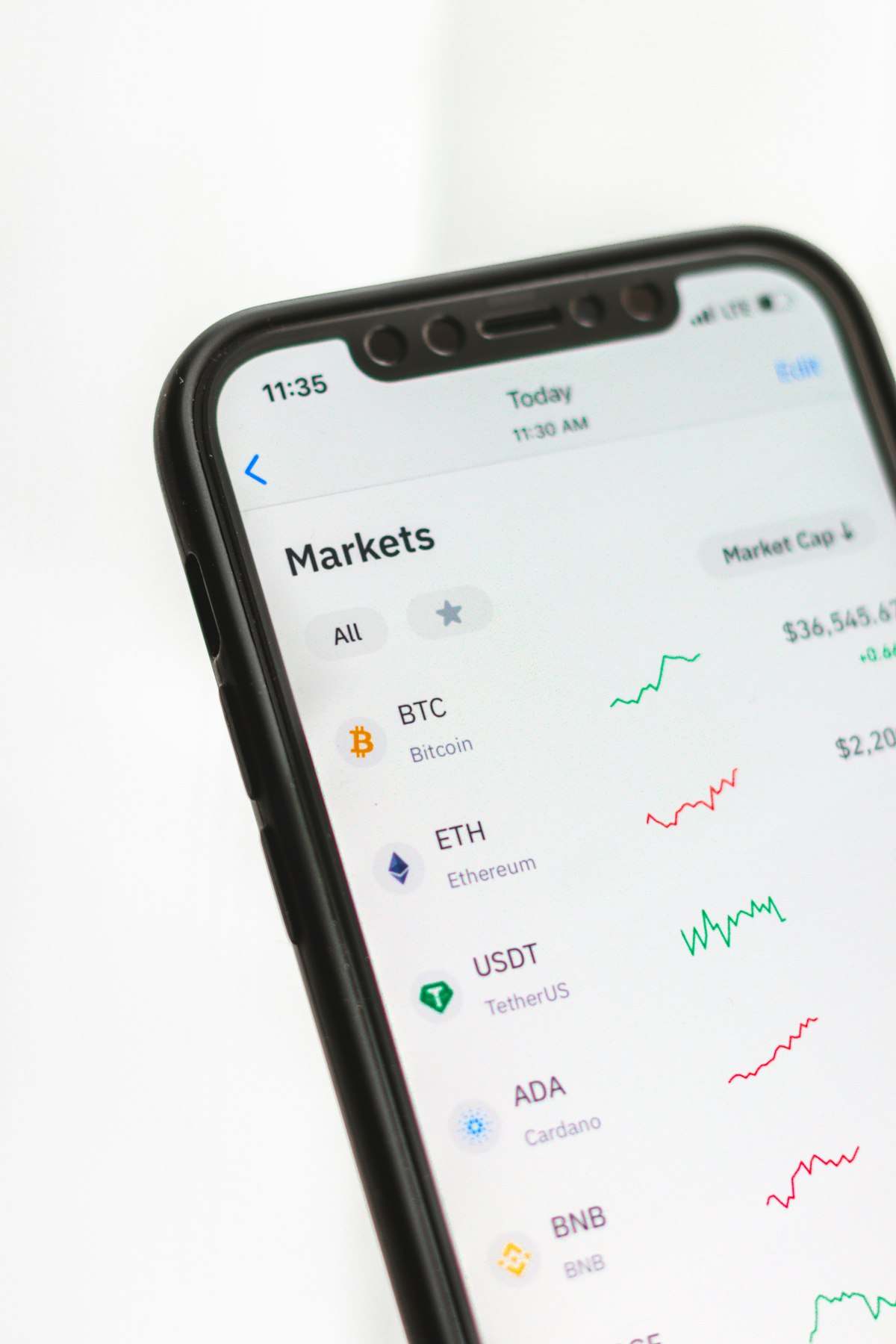
Cryptocurrency payments — particularly USDT (Tether) — have become the preferred funding method for SMM panel users across the Arab world, South Asia, and globally in 2026. USDT combines the stability of the US dollar with the speed, privacy, and borderless accessibility of blockchain technology, making it the ideal payment solution for the global, multicultural community of creators, marketers, and resellers who use SMM panels daily.
Whether you are in the UAE, Saudi Arabia, Egypt, Pakistan, India, or anywhere else in the world, adding funds to your SMM panel account using USDT eliminates the friction of international card payments, bank transfer delays, and currency conversion complications. Once you understand the process, USDT deposits are fast (typically confirmed within minutes), low-fee, and completely borderless.
In this complete step-by-step guide, we walk you through everything you need to know about adding funds to SMMUAE.co and any SMM panel using USDT — including which blockchain network to use, how to avoid the most common mistakes, and how to set up your crypto wallet if you are starting from zero. Let us get started.
Why USDT Is the Best Payment Method for SMM Panels in 2026
Before the step-by-step instructions, understanding why USDT has become the dominant SMM panel payment method helps clarify why this setup is worth learning:
Price Stability (Unlike Bitcoin or Ethereum)
USDT is a stablecoin — its value is pegged 1:1 to the US dollar. Unlike Bitcoin or Ethereum, whose prices can swing dramatically within hours, USDT maintains consistent purchasing power. When you deposit $50 in USDT, your SMM panel balance is exactly $50 — no volatility risk between the moment you send and the moment it is received.
Universal Accessibility
USDT is available to anyone with a smartphone and internet connection — regardless of their country, banking status, or credit history. For creators and marketers in markets where international card payments are restricted or unreliable (common across parts of the Middle East, South Asia, and Africa), USDT provides universal access to SMM panel services without any banking friction.
Fast Transaction Confirmation
On TRC20 (Tron network) — the recommended network for most SMM panel deposits — USDT transactions confirm in approximately 1–3 minutes at fees of less than $1. This is dramatically faster and cheaper than bank transfers (1–5 business days, $15–$45 fees) and avoids the occasional declines and delays that affect international card payments.
Privacy and Security
USDT transactions do not require sharing credit card numbers, banking credentials, or personal financial information with third parties. For users who prefer financial privacy or who are concerned about card security on online platforms, crypto payments provide a secure alternative that shares only your wallet address — never sensitive financial credentials.
No Currency Conversion Fees
For users outside the US, paying in USDT eliminates the currency conversion fees (typically 1–3%) that banks and card processors charge on international transactions. Since USDT is pegged to USD and most SMM panels price in USD, there is zero conversion cost between your USDT and your SMM panel balance.
Understanding USDT Networks: TRC20, ERC20, and BEP20
This is the most critical technical concept for new USDT users — and the source of the most common (and potentially costly) mistakes. USDT operates on multiple blockchain networks simultaneously, and each network generates a different wallet address format. You must always send USDT on the same network that the recipient address was generated for.
TRC20 (Tron Network) — Recommended for SMM Panels
- Transaction fee: Less than $1 (typically $0.10–$0.50)
- Confirmation time: 1–3 minutes
- Address format: Starts with the letter "T" (e.g., TXxx...)
- Best for: SMM panel deposits — lowest fees and fastest confirmations make TRC20 the standard recommendation for frequent, smaller USDT transfers.
ERC20 (Ethereum Network)
- Transaction fee: Variable — can range from $5 to $50+ during high network congestion
- Confirmation time: 1–5 minutes (but fee varies significantly)
- Address format: Starts with "0x" (e.g., 0xxx...)
- Best for: Large transfers where the percentage fee impact is small relative to the amount being moved. Not recommended for small SMM panel deposits due to high and unpredictable gas fees.
BEP20 (BNB Smart Chain)
- Transaction fee: Very low (typically $0.10–$0.30)
- Confirmation time: 1–3 minutes
- Address format: Also starts with "0x" (same format as ERC20 — do not confuse them)
- Best for: An alternative to TRC20 when supported by both sender and recipient. Always verify the SMM panel supports BEP20 before sending on this network.
Critical Warning: Never send USDT on a network that differs from the address you were given. Sending ERC20 USDT to a TRC20 address (or vice versa) will result in permanent loss of funds that cannot be recovered. Always confirm the network with your SMM panel before initiating a transfer.
Setting Up a USDT Wallet: Step-by-Step
If you do not yet have a cryptocurrency wallet, here is how to set one up quickly:
Option 1: Centralized Exchange Wallet (Easiest for Beginners)
Platforms like Binance, OKX, Bybit, and Coinbase allow you to create an account, purchase USDT with a card or bank transfer, and send USDT directly from the exchange to your SMM panel deposit address. This is the simplest approach for new crypto users — the exchange handles all the technical complexity of managing private keys.
Setup steps for Binance (most popular in the Arab world):
- Visit binance.com and click "Register." Create an account with your email address.
- Complete identity verification (KYC) — required for fiat currency purchases. Upload your ID document as prompted.
- Purchase USDT: Go to "Buy Crypto" → select USDT → enter your amount → choose your payment method (card, bank transfer, or P2P).
- Your purchased USDT will appear in your Binance Spot Wallet under USDT balance.
Option 2: Self-Custody Wallet (More Control)
Wallets like Trust Wallet, MetaMask, or TronLink give you direct control of your crypto without relying on an exchange. Download from official app stores only — never from unofficial sources.
- Download Trust Wallet from the official App Store or Google Play.
- Create a new wallet and write down your 12-word seed phrase on paper — store it somewhere physically secure. Anyone with this phrase can access your funds.
- In Trust Wallet, find USDT and select your preferred network (TRC20 for most SMM panel deposits).
- Your wallet address for receiving USDT on TRC20 is shown — this is what you share when purchasing USDT from an exchange or peer.
Step-by-Step: Adding Funds to SMMUAE.co Using USDT
Now that you have your wallet set up and funded, here is the exact process for depositing USDT into your SMMUAE.co account:
Step 1: Log Into Your SMMUAE.co Account
Go to smmuae.co and log in with your registered email and password. If you do not yet have an account, register for free here — it takes under 60 seconds.
Step 2: Navigate to the Add Funds Section
From your dashboard, locate the "Add Funds" or "Deposit" section. This is typically found in the main navigation menu or your account balance area. Click to open the payment options page.
Step 3: Select Cryptocurrency / USDT as Your Payment Method
On the Add Funds page, you will see multiple payment options. Select "Cryptocurrency" or "USDT" from the available methods. If multiple USDT networks are offered (TRC20, ERC20, BEP20), select TRC20 for the lowest fees and fastest confirmation — unless you have a specific reason to use another network.
Step 4: Enter Your Deposit Amount
Enter the amount you wish to deposit in USD. The system will display the equivalent USDT amount you need to send (1 USDT = 1 USD, so for a $50 deposit you will send 50 USDT). Note any minimum deposit requirements — most panels have a minimum of $1–$5.
Step 5: Copy the SMMUAE.co USDT Deposit Address
After selecting your amount and network, SMMUAE.co will display a unique USDT deposit wallet address and often a QR code. Copy this address carefully — do not type it manually as even a single character error will result in lost funds. Use the copy button to copy the full address to your clipboard.
Also note the network type displayed next to the address (TRC20, ERC20, or BEP20). You must send USDT on exactly this network. Do not assume — always verify.
Step 6: Send USDT From Your Wallet or Exchange
If sending from Binance:
- Go to your Binance account → Wallet → Spot Wallet → Find USDT → Click "Withdraw."
- Paste the SMMUAE.co deposit address into the "Address" field.
- Select the network: choose TRC20 (to match the address you were given).
- Enter the amount to send.
- Review the transaction summary — verify the address, network, and amount are all correct.
- Complete any two-factor authentication (2FA) verification Binance requires.
- Click "Withdraw" to send. Binance will process the withdrawal — TRC20 withdrawals typically complete within 1–10 minutes.
If sending from Trust Wallet:
- Open Trust Wallet → Find USDT (TRC20) → Tap "Send."
- Paste the SMMUAE.co deposit address or scan the QR code.
- Enter the amount and confirm the network is TRC20.
- Review the transaction details and tap "Confirm."
- The transaction broadcasts immediately — confirmation typically arrives within 1–3 minutes.
Step 7: Confirm Receipt in Your SMMUAE.co Account
After sending, return to your SMMUAE.co dashboard and refresh your account balance. For TRC20 transactions, your balance typically updates within 2–10 minutes of sending. If your balance has not updated after 15 minutes:
- Check your transaction on a blockchain explorer (tronscan.org for TRC20) using your transaction hash (TXID) to verify the send was successful.
- Verify that the destination address on the blockchain matches the address you were given by SMMUAE.co exactly.
- Contact SMMUAE.co's support team with your transaction TXID if the balance does not update within 30 minutes — our team can manually verify and credit your deposit.
How Much USDT Should You Deposit? Budget Guide for Different User Types
Here is a practical deposit guide based on common user profiles:
Individual Creator (Personal Growth)
Starting deposit: $20–$50 USDT. This covers an initial follower package on your primary platform plus engagement services. Test with a small deposit to verify the process before committing larger amounts.
Small Business (Multi-Platform Presence)
Starting deposit: $50–$150 USDT. Cover growth services across 2–3 platforms (Instagram, Snapchat, TikTok or Spotify) for a comprehensive brand presence boost. Monthly top-up of $50–$100 for ongoing maintenance services.
Social Media Manager (Client Services)
Starting deposit: $100–$300 USDT. Fund services for multiple client accounts simultaneously. Establish a standing balance that covers your predictable monthly service volume without frequent small top-ups.
SMM Panel Reseller (Business Scale)
Starting deposit: $200–$1,000+ USDT. Resellers need sufficient balance to fulfill client orders immediately — delayed fulfillment damages client relationships. Maintain a balance equal to at least 2–3x your expected weekly order volume to ensure you never run low during high-demand periods.
Security Best Practices for USDT Transactions
Protecting your cryptocurrency and SMM panel funds requires attention to these security fundamentals:
- Always double-check the deposit address before sending. Malware called "clipboard hijackers" can replace copied addresses with an attacker's address. After pasting, verify the first 4 and last 4 characters of the address match the original displayed on the website.
- Enable 2FA on both your crypto exchange and your SMMUAE.co account. Two-factor authentication prevents unauthorized access even if your password is compromised.
- Never share your wallet seed phrase or private key with anyone. No legitimate service — including SMMUAE.co — will ever ask for your wallet seed phrase or private key. Anyone requesting these credentials is attempting to steal your funds.
- Use official websites only. Always access SMMUAE.co through the official URL (smmuae.co) and your crypto exchange through its official domain. Phishing sites that mimic legitimate services are a significant threat in the crypto space.
- Start with a small test transaction. When depositing to any platform for the first time, send a small test amount ($5–$10) and verify receipt before sending your full intended deposit.
Troubleshooting Common USDT Deposit Issues
My balance has not updated after 30 minutes
First, check the transaction on a blockchain explorer (tronscan.org for TRC20, etherscan.io for ERC20) using your TXID. If the blockchain shows the transaction as confirmed and delivered to the correct address, contact SMMUAE.co support with the TXID for manual verification. If the blockchain shows an incorrect destination address, unfortunately the funds cannot be recovered — this is why double-checking addresses before sending is so critical.
I sent USDT on the wrong network
Cross-network sends (e.g., sending TRC20 USDT to an ERC20 address) result in funds being unrecoverable in most cases. Prevention is the only protection — always verify the network before initiating any transfer. If this happens, contact SMMUAE.co support immediately — while recovery is rarely possible, the team will advise on any options available.
My exchange is withholding my withdrawal for verification
Most major exchanges require identity verification before allowing crypto withdrawals. Complete KYC verification on your exchange if you have not already — this is a one-time process that unlocks full withdrawal capabilities for all future transactions.
The USDT amount arrived but is less than I sent
Your exchange may have deducted a withdrawal fee before sending. Most exchanges clearly display the fee before you confirm — check your exchange's fee schedule for USDT withdrawals on TRC20. The amount arriving in your SMMUAE.co account should match exactly what the blockchain shows as delivered to your deposit address.
USDT vs. Other SMM Panel Payment Methods: Quick Comparison
- USDT (TRC20): Best overall — fast (1–3 min), low fee ($0.10–$0.50), global, private, stable value. Recommended for all users.
- Credit/Debit Card: Convenient but 2–5% processing fees, international declines common, currency conversion costs apply. Good for users unfamiliar with crypto.
- PayPal: Convenient for users with PayPal accounts but not available in all countries and carries 3–5% fees plus currency conversion. Limited availability in some Arab markets.
- Bank Transfer: Low fee for large amounts but slow (1–5 business days), not available internationally on all panels, and requires sharing banking information. Better for large enterprise deposits than routine panel funding.
- Bitcoin (BTC): Universally accepted but volatile price and higher transaction fees than USDT. Not recommended for regular SMM panel deposits due to price risk during transaction processing.
Frequently Asked Questions: Adding Funds to SMM Panel With USDT
Is there a minimum deposit amount for USDT on SMMUAE.co?
Minimum deposit amounts are specified on the Add Funds page and are typically very accessible — usually $1–$5 equivalent in USDT. Check the current minimum on your SMMUAE.co account dashboard before initiating a transfer to ensure your deposit meets the threshold.
How long does it take for my SMMUAE.co balance to update after a USDT deposit?
TRC20 USDT deposits typically reflect in your SMMUAE.co balance within 2–10 minutes of blockchain confirmation. ERC20 and BEP20 deposits have similar timelines. If your balance has not updated after 30 minutes, contact support with your transaction TXID.
Can I withdraw my SMMUAE.co balance back to USDT?
SMM panel balances are generally non-withdrawable — they are credit for purchasing services rather than a stored-value account. Deposit only what you intend to spend on services. This is standard practice across SMM panels globally.
Is USDT legal in my country?
Cryptocurrency regulations vary by jurisdiction. In the UAE, Saudi Arabia, Pakistan, and most countries where SMMUAE.co is actively used, USDT ownership and use for online transactions is legal. If you have concerns about cryptocurrency regulations in your specific country, consult local financial guidance before proceeding.
What happens if I accidentally send more USDT than intended?
Any USDT received at your designated deposit address will be credited to your SMMUAE.co account balance and available for immediate use on any services. Overpayments are credited in full — SMMUAE.co does not retain excess deposits.
Conclusion: Fast, Secure, Borderless — USDT Is the Future of SMM Panel Payments
Adding funds to your SMM panel using USDT is, once you have done it a few times, one of the fastest and most friction-free payment experiences available for any online service. No bank delays, no card declines, no currency conversion fees, no geographic restrictions — just instant, low-cost value transfer that keeps your SMM panel balance funded and your growth campaigns running without interruption.
Whether you are a creator buying your first follower package, a business managing multi-platform social media growth, or a reseller funding a busy client order pipeline, USDT on TRC20 is the payment method that makes everything easier in 2026.
Register on SMMUAE.co today, set up your USDT wallet, and fund your account in minutes. Your next social media growth campaign is ready to launch.
For more on USDT and cryptocurrency basics, explore CoinDesk's USDT explainer and for secure crypto wallet setup, Trust Wallet's official getting started guide.